



The Client Success dashboard supports the oversight of clients, projects, and project tasks. The founder or project manager can quickly view the status of deliverables in relation to each client’s roadmap.
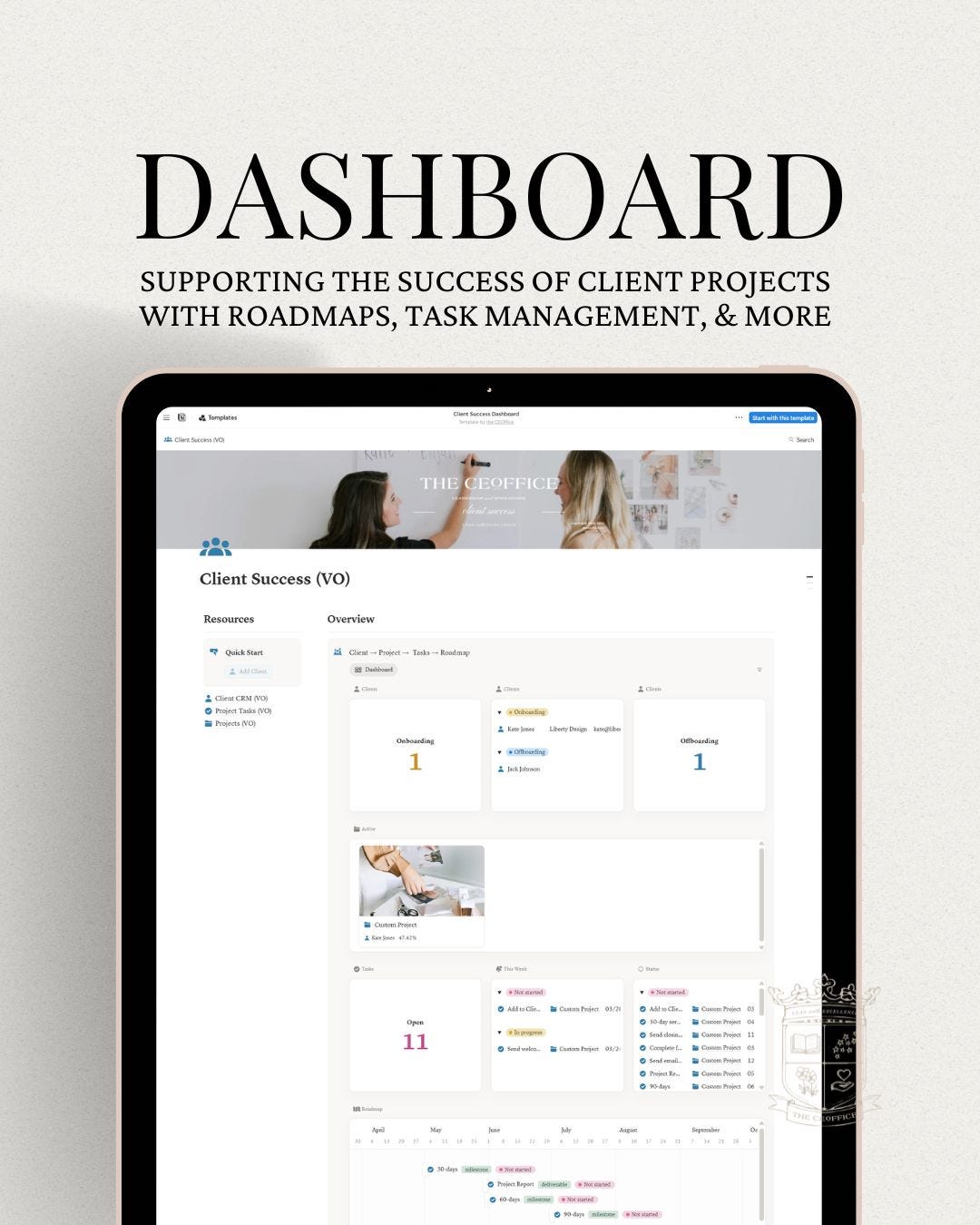
The Client Success dashboard was designed with simplicity in mind to support small teams or solo entrepreneurs. It includes three databases that work together.
Client CRM. Record the details of each client and set up their client journey, from onboarding to offboarding.
Projects. Record project details, track deliverables, and manage the roadmap to ensure milestones are met.
Project Tasks. A central and comprehensive database for all tasks related to the client journey and project roadmap.
Documenting the details of each client and project supports the execution and delivery of service, whether you’re a solopreneur or sharing information within a team. Use the dashboard to quickly view the status of all clients, tasks, and projects.
UPDATES
Dashboard. Better visibility on status of clients, tasks, and project roadmaps.
Automation. Added buttons for quicker start and easier syncing between databases.
Tabs. Cleaner page views while still maintaining relevant client or project information.
I’m excited to introduce you to the Client Success Dashboard version 2.0, which incorporates Notion’s latest updates to enhance your client management experience.
You’ll see how to easily add clients, track project statuses, and visualize your active projects and tasks. I also highlight the new tab feature that streamlines information on pages, making it easier for you and your team to manage onboarding and offboarding processes.
Client Journey: Mapping Touchpoints from Awareness to Alumni

This lesson guides you through each step of the client’s journey. It will prompt you to review and refine touchpoints to create a cohesive experience from Awareness to Alumni. An experience consistent with your brand image.
If you need assistance setting up automation or customizing the dashboard to fit your business needs, please reach out. I’m here to help!